How the report works in RaisoPro
Vehicle details and what was left inside
The report records the make, model, registration number, VIN and mileage, plus floor mats, a child seat and personal belongings left in the car, and your notes. Vehicle details come from the client’s record, so you do not type them in again on the next visit.
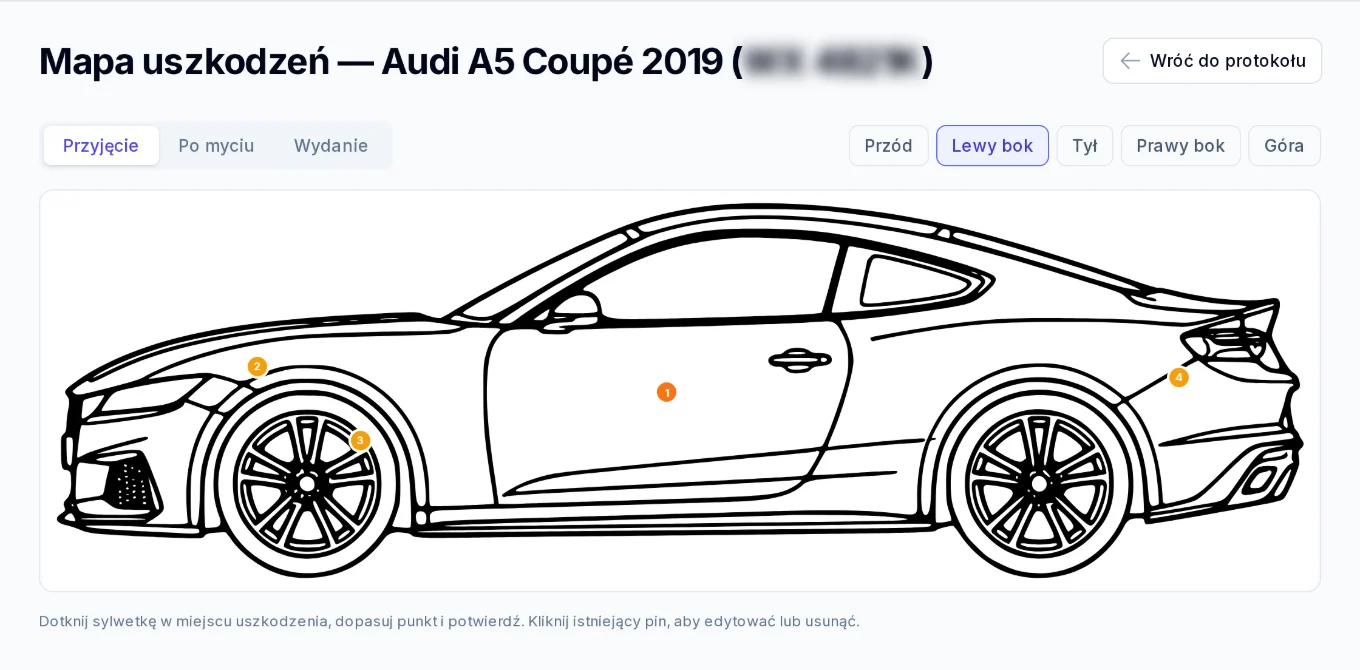
A damage map in five views
On the car outline (front, back, left and right side, top view) you mark each spot: a scratch, dent, missing paint or crack, with a description and a note of how much work it needs. You add photos from intake and from release to the report.
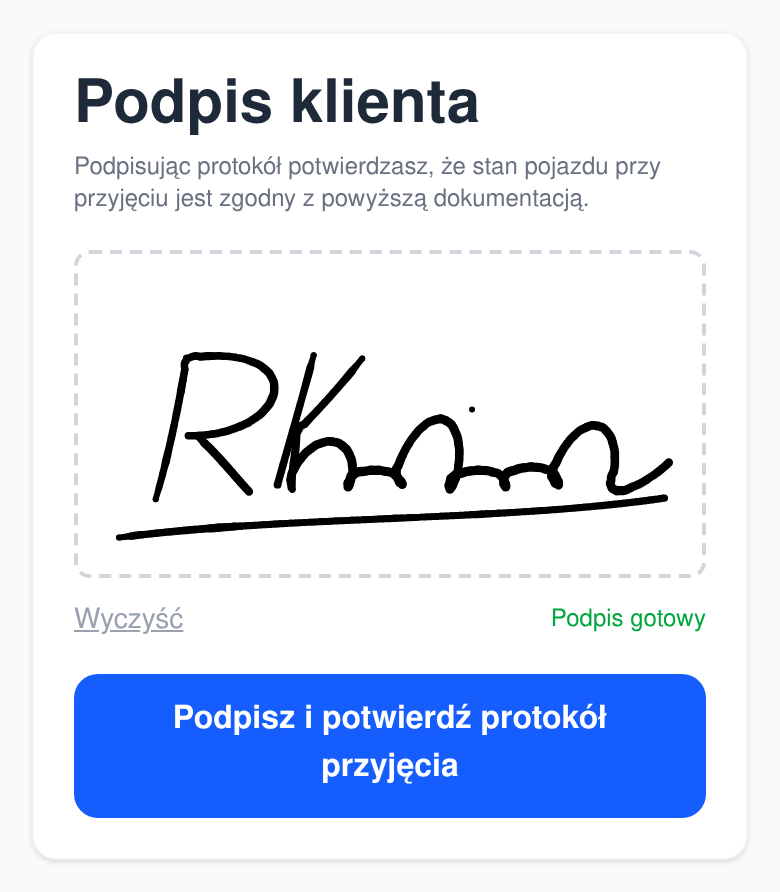
Client signature at the studio or through a link
The client signs the report with a finger on screen at the studio, or remotely through a link sent by email. Each signature is stored with the date and time, and the release report can only be signed once the intake has been signed.
Scratches that only show after washing
Some paint damage only shows on a clean car. After washing, you send the client the updated damage map through a link by text message and email, and the client accepts it or reports a concern.
A PDF for the client, a history in the vehicle record
Once the release is signed, RaisoPro puts the report together as a PDF, with photos, the damage map and signatures, and sends it to the client by email. Reports stay in the vehicle record, so at the next intake you can see the previous ones.
Which plan
Intake, release and post-wash reports are included in the Auto Pro and Auto Business plans and in the package for studios in the pilot programme. The Auto Starter plan does not include them.
Frequently asked questions
- What is a vehicle intake report?
- It is a document in which the studio records the condition of the vehicle at intake: vehicle details, mileage, items left inside, damage and photos, confirmed with the client’s signature. In RaisoPro it is called the vehicle technical condition report and has a second part, the release report, signed when the car is collected.
- Does the client have to be at the studio to sign the report?
- No. They can sign the report on screen at the studio or remotely, through a link sent by email. The signature is stored with the date and time.
- How is damage marked on the report?
- On the car outline in five views: front, back, left side, right side and top. Each spot has a damage type (scratch, dent, missing paint, crack or other), an optional description and a note of how much work it needs.
- Does the client get a copy of the report?
- Yes. Once the release report is signed, RaisoPro sends a PDF with photos, the damage map and signatures to the client’s email address.
- Which RaisoPro plan includes the reports?
- The Auto Pro and Auto Business plans, and the package for studios in the pilot programme. The Auto Starter plan does not include the reports.